


Staying safe online has never been more important than it is in 2026. With cyber threats evolving, using best password managers is the smartest way to protect your digital identity. Our latest tech news update breaks down the top tools available to help you secure your accounts with ease.
Choosing between free password managers and paid password managers often feels overwhelming. We evaluate these services based on security, convenience, privacy, and device support to simplify your decision. Whether you need basic protection or advanced features, finding the right fit depends on your personal habits and budget.
This guide explores how password managers 2026 solutions stack up against one another. We look at how different platforms handle your data so you can browse the web with total peace of mind.
Key Takeaways
- Security is the primary reason to adopt a dedicated password manager today.
- Free versions are excellent for individuals with basic, single-device needs.
- Paid subscriptions offer advanced features like secure file sharing and emergency access.
- Always prioritize services that offer robust multi-factor authentication support.
- Your choice should align with your specific household needs and platform preferences.
What Changed in Password Managers by 2026
By 2026, the way we protect our digital lives has undergone a fundamental transformation. The industry has shifted its focus toward user-friendly authentication methods that prioritize both convenience and high-level protection. This evolution is essential as cyber threats become more sophisticated and frequent.
Passkeys, biometric sign-in, and the move beyond traditional passwords
The most significant shift in recent years is the widespread adoption of passkeys. These digital credentials allow you to sign in to websites and apps using your device’s built-in biometric sensors, such as a fingerprint or facial scan. By replacing vulnerable text-based passwords, this technology significantly enhances password manager security.
You no longer need to remember complex strings of characters for every single account. Instead, your device handles the authentication process securely in the background. This transition makes the user experience smoother while effectively eliminating the risk of phishing attacks that target traditional login credentials.
Why data breaches make password reuse especially risky
Data breaches have become a constant reality in our interconnected world. When a service provider suffers a leak, hackers often gain access to millions of email addresses and passwords. If you reuse the same password across multiple platforms, a single breach can compromise your entire digital identity.
Using a dedicated tool to generate unique, complex passwords for every site is the best defense against these threats. Modern software ensures that even if one account is exposed, your other sensitive information remains completely isolated and safe. This practice is the cornerstone of maintaining robust password manager privacy in the current digital climate.
How privacy laws, zero-knowledge encryption, and independent audits affect trust
Trust is the foundation of any security service. Today, users demand transparency regarding how their sensitive data is stored and accessed. Leading providers now rely on zero-knowledge encryption, which ensures that not even the company itself can view your stored credentials.
Furthermore, strict privacy laws and regular independent audits have become industry standards. These measures provide objective proof that a service adheres to the highest security protocols. When choosing a provider, look for those that publish public transparency reports to verify their commitment to your data protection.
| Security Feature | Benefit | Trust Factor |
|---|---|---|
| Passkeys | Eliminates phishing | High |
| Zero-knowledge encryption | Total data privacy | Essential |
| Independent Audits | Verified security | Critical |
| Biometric Login | Fast, secure access | High |
How We Compare the Best Password Managers
Navigating the world of digital security can feel overwhelming, but our password manager comparison framework makes it simple to find the perfect fit. We evaluate each service based on real-world performance, ensuring that your data remains protected without adding unnecessary friction to your daily routine.
Security architecture and encryption standards
At the core of our review process is the underlying security architecture. We prioritize services that utilize zero-knowledge encryption, meaning that not even the provider can access your stored data.
We look for industry-standard AES-256 encryption and robust hashing algorithms. These technical safeguards ensure that your master password remains the only key to your digital vault.
Ease of use across phones, browsers, and computers
A tool is only useful if you actually enjoy using it. We test the specific password manager features that impact your daily workflow, such as how quickly the app launches on mobile devices or how smoothly it integrates with your favorite web browser.
Consistency is vital for a positive user experience. We check if the interface remains intuitive when switching between a desktop computer, a tablet, and a smartphone.
Password sharing, autofill, passkeys, and breach monitoring
Modern security requires more than just storing passwords. We examine the reliability of password manager autofill to ensure it captures credentials accurately across various websites and apps.
We also evaluate how well each service handles password breach monitoring to alert you if your data appears in a known leak. Furthermore, we test support for modern standards like passkeys and secure sharing options for families or teams.
Pricing, free-plan limits, and value for households
Understanding password manager pricing is essential for long-term planning. We look beyond the monthly cost to evaluate the actual value provided by free tiers versus premium subscriptions.
Our analysis considers whether a free plan offers enough functionality for a single user or if it imposes restrictive limits on device syncing. We also assess family plans to see if they provide enough separate vaults and recovery options for a household budget.
| Feature Category | Security Focus | Usability Level | Value Rating |
|---|---|---|---|
| Encryption | Zero-Knowledge | High | Essential |
| Autofill | Cross-Platform | Excellent | Standard |
| Breach Alerts | Real-Time | High | Premium |
| Family Sharing | Encrypted Vaults | Moderate | High Value |
Tech News: Best Password Managers in 2026
Navigating the landscape of password managers 2026 requires a clear understanding of what each tool brings to the table. As digital threats grow more sophisticated, selecting the right vault for your credentials is a vital step in protecting your online identity.
1Password
Overview and standout features
1Password remains a gold standard for users who value a polished and intuitive experience. It offers a robust “Watchtower” feature that alerts you to compromised sites and weak passwords.
Pros
- Excellent cross-platform synchronization.
- Strong focus on family sharing and ease of use.
- Advanced security features like Travel Mode.
Cons
- No permanent free tier available.
- Subscription costs can add up for large families.
Best for
Users who want a premium, feature-rich experience with top-tier customer support.
Bitwarden
Overview and standout features
Bitwarden is widely recognized as the best open-source option among password managers 2026. Its transparent code and generous free plan make it a favorite for tech-savvy individuals.
Pros
- Highly capable free version with unlimited syncing.
- Open-source architecture for maximum transparency.
- Self-hosting options for advanced users.
Cons
- The interface is functional but less polished than competitors.
- Advanced features require a paid subscription.
Best for
Those seeking maximum value and open-source reliability.
Dashlane
Overview and standout features
Dashlane distinguishes itself by including a built-in VPN and dark web monitoring in its premium plans. It is designed for users who want an all-in-one security suite.
Pros
- Integrated VPN for extra privacy.
- Real-time security alerts and monitoring.
- Very user-friendly interface.
Cons
- Premium pricing is higher than many rivals.
- The free plan is quite limited.
Best for
Users who want convenience and extra security tools bundled together.
NordPass
Overview and standout features
NordPass brings a modern, sleek design to the table. It utilizes the latest XChaCha20 encryption to ensure your data remains safe from modern threats.
Pros
- Very easy to set up and use.
- Strong focus on modern security standards.
- Competitive pricing for families.
Cons
- Lacks some of the advanced organizational features of 1Password.
- Limited free plan functionality.
Best for
People who prioritize a modern, clean interface and simple operation.
Proton Pass
Overview and standout features
Proton Pass is built by the team behind Proton Mail, focusing heavily on privacy. It offers unique features like email aliasing to keep your real address hidden.
Pros
- Strong commitment to user privacy.
- Excellent integration with the Proton ecosystem.
- Unlimited email aliases.
Cons
- Still growing its feature set compared to older rivals.
- Browser extension can feel slightly basic.
Best for
Privacy enthusiasts who want anonymous sign-in options.
Keeper
Overview and standout features
Keeper is a powerhouse for security-conscious users and businesses. It offers highly customizable vaults and secure file storage for sensitive documents.
Pros
- Extremely high security standards.
- Great for managing complex business credentials.
- Secure file storage included.
Cons
- The interface can feel cluttered for casual users.
- Many features are locked behind higher-tier plans.
Best for
Businesses and power users who need granular control.
Apple Passwords
Overview and standout features
Apple Passwords is now a standalone app, making it easier than ever to manage credentials across the Apple ecosystem. It is deeply integrated into iOS and macOS.
Pros
- Completely free for Apple users.
- Seamless integration with FaceID and TouchID.
- No extra software installation required.
Cons
- Limited support for non-Apple devices.
- Lacks advanced sharing features found in third-party apps.
Best for
Users who live entirely within the Apple ecosystem.
Google Password Manager
Overview and standout features
Google Password Manager is the default choice for Android and Chrome users. It is incredibly convenient for those who rely on Google services daily.
Pros
- Free and built into the browser.
- Automatic syncing across all Google-connected devices.
- Very easy to use for basic credential storage.
Cons
- Privacy concerns regarding Google’s data practices.
- Lacks advanced vault organization and sharing tools.
Best for
Casual users who want zero-friction password management while browsing.
1Password, Bitwarden, and Proton Pass: Best Free and Paid Features Compared
When you start a password manager comparison, you quickly realize that not all security tools are built the same way. Each provider offers a unique philosophy regarding user experience, transparency, and data protection. Understanding these differences helps you decide which service aligns best with your digital lifestyle.
1Password’s polished experience and family-focused tools
1Password is widely recognized for its sleek, intuitive interface that makes managing credentials feel effortless. It excels as a family password manager, offering robust sharing features that allow households to organize logins, credit cards, and secure notes with ease. The platform prioritizes a seamless user journey, ensuring that even non-technical family members can stay protected without frustration.
Bitwarden’s open-source approach and strong free plan
For users who value transparency, Bitwarden stands out as a premier open-source password manager. Its code is publicly available for audit, which builds significant trust within the security community. The free plan is exceptionally generous, providing core password manager features like unlimited vault storage and cross-device syncing without hidden paywalls.
Proton Pass’s privacy ecosystem and unlimited aliases
Proton Pass integrates deeply into a broader privacy-focused ecosystem, making it a top choice for those concerned about data tracking. A standout feature is its ability to generate unlimited email aliases, which helps mask your true identity when signing up for new services. This focus on anonymity adds a unique layer of protection that goes beyond standard credential storage.
True security is not just about locking your doors; it is about ensuring that the lock itself is transparent, reliable, and easy to use for everyone in your home.
Which service offers the best balance of features and cost
Choosing the right tool depends on your specific needs for convenience versus total privacy. While 1Password offers the most refined experience for families, Bitwarden provides the best value for those who prefer open-source reliability. Proton Pass remains the leader for users who want to minimize their digital footprint through advanced alias tools.
| Service | Best For | Key Strength | Pricing Model |
|---|---|---|---|
| 1Password | Families | User Experience | Paid Subscription |
| Bitwarden | Budget Users | Open-Source | Free & Paid |
| Proton Pass | Privacy Fans | Email Aliases | Free & Paid |
Dashlane, NordPass, and Keeper: Premium Features Worth Paying For
While free tools cover the basics, premium subscriptions from top providers offer advanced layers of protection and convenience. Many users start their journey with a password manager free trial to test the waters before committing to a paid plan. These premium tiers often unlock features that save time and significantly reduce the risk of identity theft.
Dashlane’s security alerts and premium convenience features
Dashlane stands out by offering a highly proactive approach to digital security. Its real-time dark web monitoring alerts you immediately if your personal information appears in a data breach. This feature provides peace of mind that basic tools simply cannot match.
Beyond security, Dashlane includes a built-in VPN for added privacy on public Wi-Fi networks. This combination of identity protection and secure browsing makes it a strong contender for those who prioritize all-in-one convenience.
NordPass’s modern interface and family account options
NordPass is widely recognized for its clean, intuitive design that makes managing complex credentials feel effortless. The platform excels at simplifying the user experience, which is perfect for families who need to share access to streaming services or utility accounts.
Their family plans allow multiple users to maintain separate, private vaults while still enjoying shared folders. This modern interface ensures that even less tech-savvy family members can navigate their digital security without frustration.
Keeper’s business controls and secure file storage
Keeper is a powerhouse when it comes to organizational security and administrative oversight. It serves as an excellent password manager for businesses, offering granular control over team permissions and shared folders.
In addition to credential management, Keeper provides encrypted file storage for sensitive documents like passports or legal contracts. This makes it a versatile tool for both professional environments and individuals who need a secure digital safe.
When premium extras justify a recurring subscription
Deciding to pay for a subscription depends on your specific needs for collaboration and advanced monitoring. If you manage a household or a small team, the ability to securely share credentials is often worth the cost alone.
Furthermore, the inclusion of identity theft insurance and secure cloud storage adds significant value over time. You should consider upgrading if you find that your current free solution lacks the automated security features necessary to keep your data safe in an increasingly complex digital landscape.
| Feature | Dashlane | NordPass | Keeper |
|---|---|---|---|
| Dark Web Monitoring | Included | Included | Available |
| Secure File Storage | 1GB | Limited | Unlimited |
| Family Sharing | Up to 6 | Up to 6 | Up to 5 |
| Business Controls | Standard | Basic | Advanced |
Free Password Managers vs Paid Password Managers
Navigating the landscape of digital security requires a clear understanding of the differences between free password managers and paid password managers. While both types of software aim to protect your credentials, the features they offer can vary significantly based on your subscription status.
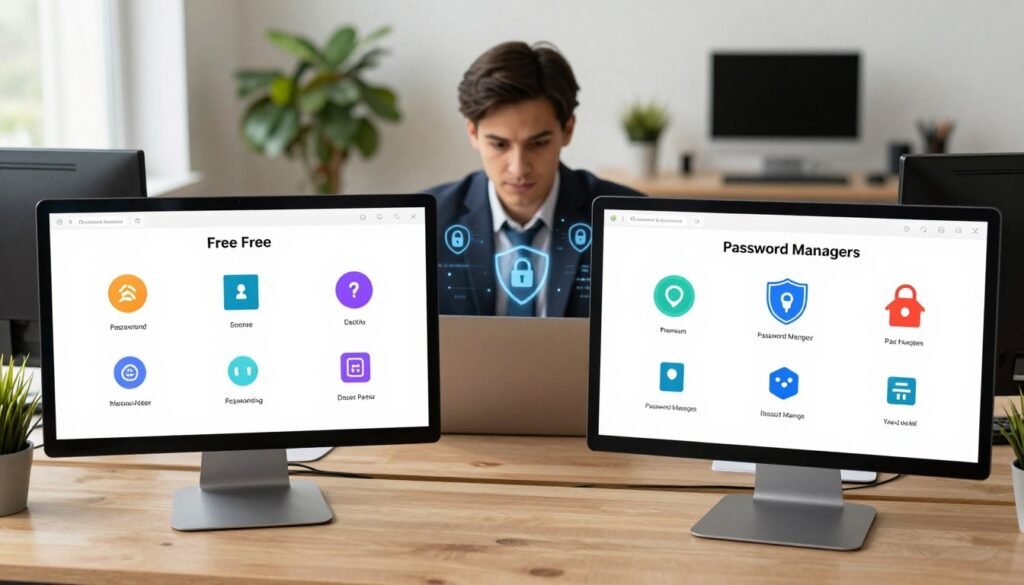
What free plans typically include
Most free password managers provide the essential tools needed for basic security. You can expect a secure encrypted vault, a strong password generator, and reliable autofill capabilities for your web browsers.
These tools are perfect for individuals who only need to manage credentials on a single device. They offer a solid foundation for anyone just starting their journey toward better online hygiene.
Common restrictions on device syncing, sharing, and support
The primary trade-off with free versions often involves convenience. Many providers limit device syncing, meaning you might be restricted to using the app on only one phone or one computer.
Furthermore, advanced features like secure item sharing with family members or priority customer support are usually reserved for premium tiers. If you rely on multiple devices throughout the day, these limitations can become a significant hurdle to your workflow.
What paid plans add for individuals, families, and teams
Upgrading to paid password managers unlocks a suite of professional-grade features. These often include unlimited device syncing, secure document storage, and advanced breach monitoring that alerts you if your data appears on the dark web.
Families and teams benefit most from these plans, as they provide shared vaults and granular administrative controls. These features ensure that sensitive information remains accessible to the right people while maintaining strict security protocols.
| Feature | Free Plan | Paid Plan |
|---|---|---|
| Device Syncing | Limited | Unlimited |
| Sharing | None/Basic | Advanced/Unlimited |
| Support | Community | Priority |
How to calculate long-term value instead of comparing monthly prices alone
When evaluating the cost, avoid looking only at the monthly price tag. Instead, consider the long-term value of protecting your digital identity against potential theft or data loss.
A small annual fee is often a fraction of the cost of recovering from a compromised bank account or identity theft. By viewing your subscription as an investment in peace of mind, you can better justify the expense of a premium service for your household or business.
Password Manager Security and Privacy in 2026
When you trust a service with your passwords, you need to know exactly how they keep your data safe. Modern password manager security relies on complex math to ensure that even if a company is hacked, your actual credentials remain unreadable to outsiders.
End-to-end and zero-knowledge encryption explained
The gold standard for password manager privacy is zero-knowledge encryption. This means the service provider never sees your actual passwords, as they are encrypted on your device before they ever reach the company’s servers.
Because the company does not hold the “key” to decrypt your data, they cannot access your vault even if they wanted to. This architecture ensures that your sensitive information remains private and secure at all times.
Master passwords, passkeys, and multifactor authentication
Your vault is only as strong as the gatekeeper you choose. A master password acts as the primary key, but modern tools now offer more robust options to protect your account.
- Passkeys: These replace traditional passwords with cryptographic pairs, making phishing nearly impossible.
- Multifactor Authentication (MFA): This adds a second layer of verification, such as a code from an app or a physical security key.
“Security is not a product, but a process. By combining strong master passwords with hardware-backed MFA, users create a nearly impenetrable barrier against unauthorized access.”
Security audits, breach histories, and transparency reports
You should always look for companies that prove their claims through independent verification. Reputable providers regularly undergo security audits conducted by third-party firms to identify potential vulnerabilities.
Transparency reports are another vital indicator of a trustworthy service. These documents detail how often a company receives requests for user data and how they respond to those requests, providing peace of mind regarding your password manager privacy.
Cloud vaults, local storage, and the risks of browser-only saving
Where you store your data matters just as much as how you encrypt it. While secure password storage often happens in the cloud for convenience, some users prefer local-only vaults to keep data entirely off the internet.
Many people rely on built-in browser saving, but this is often less secure than a dedicated manager. Browsers frequently lack the advanced encryption and cross-platform features that dedicated tools provide, leaving your data more exposed to malware or unauthorized access on your computer.
Platform Support, Passkeys, and Everyday Usability
Modern password management is defined by how seamlessly tools integrate with your favorite devices and browsers. When your security software works quietly in the background, you are far more likely to maintain strong digital habits. A truly effective solution must be available exactly when you need it, whether you are on a desktop computer or a mobile device.
Windows, macOS, Android, and iPhone compatibility
Top-tier services provide native applications for all major operating systems. This password manager compatibility ensures that your vault is always synchronized across your Windows PC, Mac, Android phone, and iPhone. You should expect a consistent experience regardless of the hardware you choose to use throughout your day.
Having a dedicated app for each platform allows for deeper system integration. This means your credentials remain accessible even when you are offline or working within specific desktop applications. Reliability is the cornerstone of a good security setup, and multi-platform support is the first step toward achieving it.
Browser extensions and reliable autofill
The most frequent interaction you will have with your vault is through your web browser. A high-quality password manager autofill feature detects login fields instantly and suggests the correct credentials without manual searching. This saves time while preventing the dangerous habit of reusing simple passwords across different sites.
Extensions should be lightweight and compatible with Chrome, Firefox, Safari, and Edge. When the software correctly identifies a login form, it eliminates the friction that often leads users to bypass security measures. Seamless integration is what separates a frustrating tool from one that becomes an essential part of your digital workflow.
Passkey storage and sign-in support across devices
The digital landscape is shifting toward a future without traditional passwords. Modern services now prioritize passkeys, which offer a more secure and convenient way to verify your identity. Storing these keys in your vault allows you to sign in to websites using biometric data like a fingerprint or facial scan.
Because these keys are synced across your devices, you can start a login on your phone and finish it on your laptop. This cross-device support is vital for maintaining security in an era where we switch between screens constantly. Embracing this technology makes your online life both safer and significantly faster.
Accessibility, emergency access, and account recovery
Even the most secure system must remain practical when life gets complicated. Reliable software includes emergency access features, allowing a trusted contact to retrieve your credentials if you are ever unable to access your account. This provides peace of mind for you and your family members.
Account recovery options are equally important for long-term usability. Whether you lose your master password or switch to a new phone, clear recovery paths ensure you are never locked out of your digital life. Prioritizing these recovery tools ensures that your security remains a helpful asset rather than a potential barrier.
Password Manager Pricing and Family Plans
Finding the right balance between cost and security is essential when managing digital credentials for your household. With various subscription models available, understanding the true password manager pricing structure helps you avoid hidden fees and unnecessary expenses. Most providers offer tiered systems that cater to individual needs while providing scalable options for larger groups.
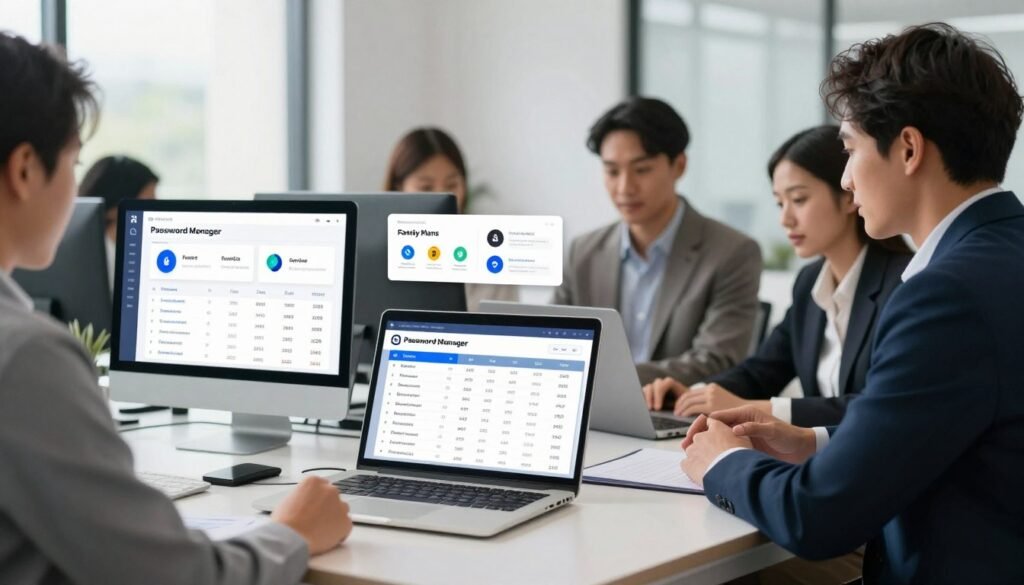
Individual plan pricing from Bitwarden, 1Password, Dashlane, NordPass, Proton Pass, and Keeper
Individual subscriptions vary significantly across the market. Bitwarden remains a leader in affordability, often providing a robust free tier that covers basic needs. In contrast, 1Password and Dashlane focus on a premium experience, typically charging a monthly fee that reflects their advanced feature sets and polished interfaces.
NordPass and Proton Pass offer competitive entry points, often bundling their services with broader privacy ecosystems. Keeper stands out by offering highly customizable plans that allow users to pay only for the specific security modules they require. Always check for annual billing cycles, as these often provide significant discounts compared to month-to-month payments.
Household sharing, separate vaults, and recovery options
A high-quality family password manager plan does more than just add extra seats to an account. These plans typically include private, encrypted vaults for each family member, ensuring that personal credentials remain strictly confidential. Shared folders allow for the seamless exchange of streaming service logins or utility account details without compromising individual security.
“Security is not just about locking the door; it is about ensuring that every member of the household has the right key without exposing the entire house to risk.”
Reliable recovery options are a hallmark of premium family tiers. Most services provide emergency access features, allowing designated family members to request access to a vault if the primary owner is unavailable. This peace of mind is often the deciding factor for families choosing between a basic individual account and a comprehensive family subscription.
Free trials, introductory discounts, and renewal pricing
Taking advantage of a password manager free trial is the smartest way to test usability before committing to a long-term contract. Many providers offer 14 to 30-day windows to explore premium features like dark web monitoring and secure file storage. Be mindful that introductory pricing often applies only to the first year, with renewal rates returning to standard levels.
Always review the terms of service regarding auto-renewal. Some companies offer loyalty discounts for long-term subscribers, while others maintain flat pricing structures. Comparing the total cost over a three-year period often reveals which service provides the best long-term value for your budget.
Which plans are most practical for families on a budget
For families looking to maximize their budget, prioritizing services that offer unlimited device syncing and generous sharing limits is key. While some services restrict the number of devices on free plans, paid family tiers usually remove these barriers entirely. The following table highlights how these services compare in terms of value and accessibility.
| Provider | Family Plan Value | Key Benefit |
|---|---|---|
| Bitwarden | High | Unlimited users and items |
| 1Password | Medium | Polished family dashboard |
| Proton Pass | High | Privacy-first ecosystem |
| Dashlane | Medium | Integrated VPN features |
Ultimately, the most practical choice depends on your specific household size and technical requirements. If you prioritize strong security and ease of use, investing in a reputable family plan is a small price to pay for protecting your digital identity. Always look for providers that offer transparent pricing and clear, user-friendly recovery paths.
Which Password Manager Should You Choose?
Choosing a password manager depends entirely on your specific needs, whether you prioritize cost, privacy, or seamless integration. Because everyone has different habits, there is no single tool that fits every person perfectly. We have evaluated the current landscape to help you find the best password managers for your unique digital life.
Best overall paid choice: 1Password
1Password stands out as the top choice for users who want a polished, reliable experience. It offers a beautiful interface and powerful family-sharing tools that make managing credentials simple for everyone in your household.
Best free choice: Bitwarden
If you prefer a robust solution without a monthly fee, Bitwarden is the clear winner. Its open-source architecture provides excellent security, and the free plan is surprisingly generous compared to its competitors.
Best privacy-focused choice: Proton Pass
For those who prioritize data sovereignty, Proton Pass is an exceptional pick. It integrates perfectly into the broader privacy ecosystem, offering unlimited aliases to keep your real email address hidden from trackers.
Best for Apple users: Apple Passwords
Apple users often find that the built-in solution is the most convenient option. It syncs effortlessly across all your devices, providing a seamless sign-in experience without the need for third-party software.
Best for Google users: Google Password Manager
If you live in the Chrome and Android ecosystem, Google’s native manager is hard to beat. It is free, fast, and automatically suggests strong passwords whenever you create a new account online.
Best for security-conscious businesses: Keeper
When it comes to a professional environment, you need more than just basic storage. Keeper is the premier password manager for businesses, offering advanced administrative controls and secure file sharing that keep corporate data safe from unauthorized access.
How to Switch to a New Password Manager Safely
Taking control of your digital identity starts with choosing the right tools for secure password storage. While the process of switching password managers might seem daunting, a systematic approach ensures your data remains protected throughout the transition. By following a few simple steps, you can move your credentials without leaving any gaps in your security.
Exporting passwords from browsers and older vaults
Most modern password managers allow you to import data directly from your web browser or a previous service. Start by exporting your existing passwords into a CSV file from your current provider’s settings menu. Always perform this export on a private, secure computer to prevent unauthorized access to the unencrypted file.
Checking imported entries for duplicates and outdated credentials
Once you have imported your data, take the time to audit your vault. Many users find that they have accumulated duplicate entries or outdated logins over the years. Cleaning up your vault is the perfect opportunity to remove old accounts you no longer use, which reduces your overall digital footprint.
Creating unique passwords for email, banking, and other critical accounts
After your data is imported, prioritize your most sensitive accounts. You should manually update passwords for your primary email, banking portals, and financial services. Using a strong, unique password for these critical accounts provides an essential layer of defense against potential data breaches.
Enabling multifactor authentication and securely deleting old exports
The final step in switching password managers is to enable multifactor authentication (MFA) on your new account. This adds a vital secondary check that keeps your vault locked even if your master password is compromised. Finally, remember to permanently delete the CSV file you created earlier. Secure password storage relies on ensuring that no unencrypted copies of your credentials remain on your hard drive.
Conclusion
Selecting the right tool for your digital life requires balancing your specific budget against your security needs. The best password managers in 2026 offer a wide range of features, from simple autofill to complex family sharing and emergency access.
You should prioritize a service that fits your daily habits. Whether you choose a robust free plan from Bitwarden or a premium experience from 1Password, the most effective solution is one you use every single day. Consistent habits remain the strongest defense against modern cyber threats.
Reliable secure password storage provides peace of mind in an era of frequent data breaches. Take a moment to evaluate your requirements for device synchronization and recovery options before committing to a subscription. Investing time in setting up your vault correctly ensures your credentials stay protected across all your devices.
Explore the options mentioned throughout this guide to find your perfect match. Your online safety depends on choosing tools that simplify your security rather than complicating it. Start your journey toward better digital hygiene today by picking a service that works for you.
FAQ
Should I choose a free password manager like Bitwarden or a paid service like 1Password in 2026?
What is zero-knowledge encryption and why does it matter for my privacy?
Are passkeys really going to replace my traditional passwords?
Is it safe to use the built-in Apple Passwords or Google Password Manager?
Can a password manager help me if my information is leaked in a data breach?
How difficult is it to switch to a new password manager?
Do I still need a Master Password if I use biometrics?
Which password manager is best for a small business or team?


Hi there
Tell me your opinion here about my magazine