

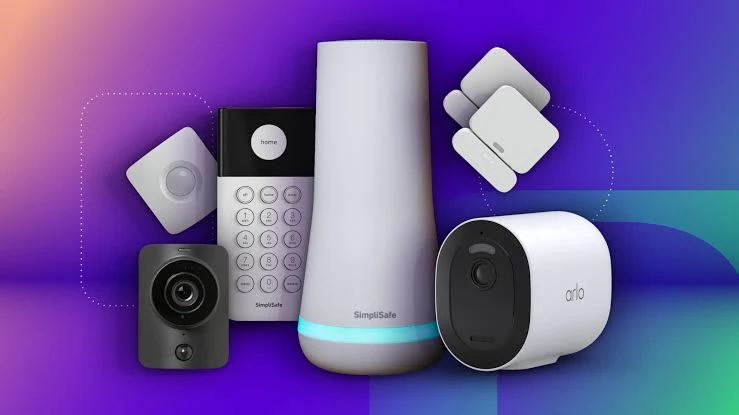

Home security used to mean expensive contracts and professional installation. Not anymore. In 2026, you can build a genuinely effective smart security setup for less than the cost of one month of a traditional monitoring service — and control all of it from your phone.
Here’s what’s actually worth buying this year if you’re on a budget.
What to Look For
Before you buy anything, keep these basics in mind:
Local storage option –
Cloud subscriptions add up fast. Devices with microSD or local hub storage save money long-term.
Two-way audio –
Lets you talk to whoever’s at the door or scare off anyone lurking outside.
Weatherproofing (IP65 or higher) –
Essential for any outdoor camera or doorbell.
App reliability –
Check recent reviews, not just star ratings.
A cheap camera with a broken app is worse than no camera at all.
Compatibility –
Make sure it works with the ecosystem you already use (Alexa, Google Home, or Apple Home).
Top Picks
1. Best Overall Camera –
Wyze Cam v4Still one of the best value indoor/outdoor cameras on the market. Sharp 2K video, color night vision, and an optional low-cost cloud plan. Local storage via microSD keeps ongoing costs near zero.
2. Best Video Doorbell –
Eufy Security Video Doorbell (Battery)No subscription required for basic recording, solid battery life, and reliable motion detection. A great entry point if you just want to see who’s at your door without recurring fees.
3. Best Smart Lock –
Wyze Lock BoltKeyless entry, auto-lock, and remote access through the app, all at a fraction of the price of premium smart locks. Pairs well with a Wyze camera setup for a unified app experience.
4. Best Sensor Kit –
SimpliSafe Entry-Level KitDoor and window sensors plus a base station, with the option to add professional monitoring later if you decide you want it. No long-term contract required upfront.
5. Best Budget Hub –
Aqara Hub M3Works with Zigbee and Matter devices, meaning it can grow with you as you add more sensors, cameras, and smart plugs over time — without locking you into one brand.
Common Mistakes
Buying cameras without checking storage costs. Some brands look cheap upfront but charge steep monthly fees for cloud recording. Always check the ongoing cost, not just the sticker price.Ignoring Wi-Fi range.
Outdoor cameras placed too far from the router will lag or drop connection. A mesh Wi-Fi system or Wi-Fi extender may be a necessary add-on cost.Skipping firmware updates. Budget devices are more likely to have security patches; skipping updates leaves real vulnerabilities open.Overbuying at the start.
Start with one or two entry points (front door, driveway) rather than wiring your whole house at once. You can always expand later.
Bottom Line
You don’t need a $50-a-month contract to keep your home secure in 2026. A smart doorbell, one or two cameras, and a basic sensor kit will cover the majority of real-world security needs for most homes — and most of the devices above can be found for well under $200 combined.Start small, avoid unnecessary subscriptions, and build out your system as your needs grow.Useful LinksNeed to resize or convert photos from your security camera app before sharing them? Try the free tools at Fast Convert.Looking for more budget tech buying guides? Browse the Apps & Tools section on tech.nashs.online.